logo
logo
Support
Account
Close Or Reopen Account
How to close your account?

How to close your account?

At Raseed Invest, we strive to make your investment journey smooth and efficient. However, we understand that there may come a time when you need to close your account. To ensure a hassle-free process, we've outlined the necessary steps to close your account with us.

  • •Check for Remaining Funds.

    Ensure your Raseed Invest account has no remaining funds. Withdraw or transfer any existing balances and close every position you have.
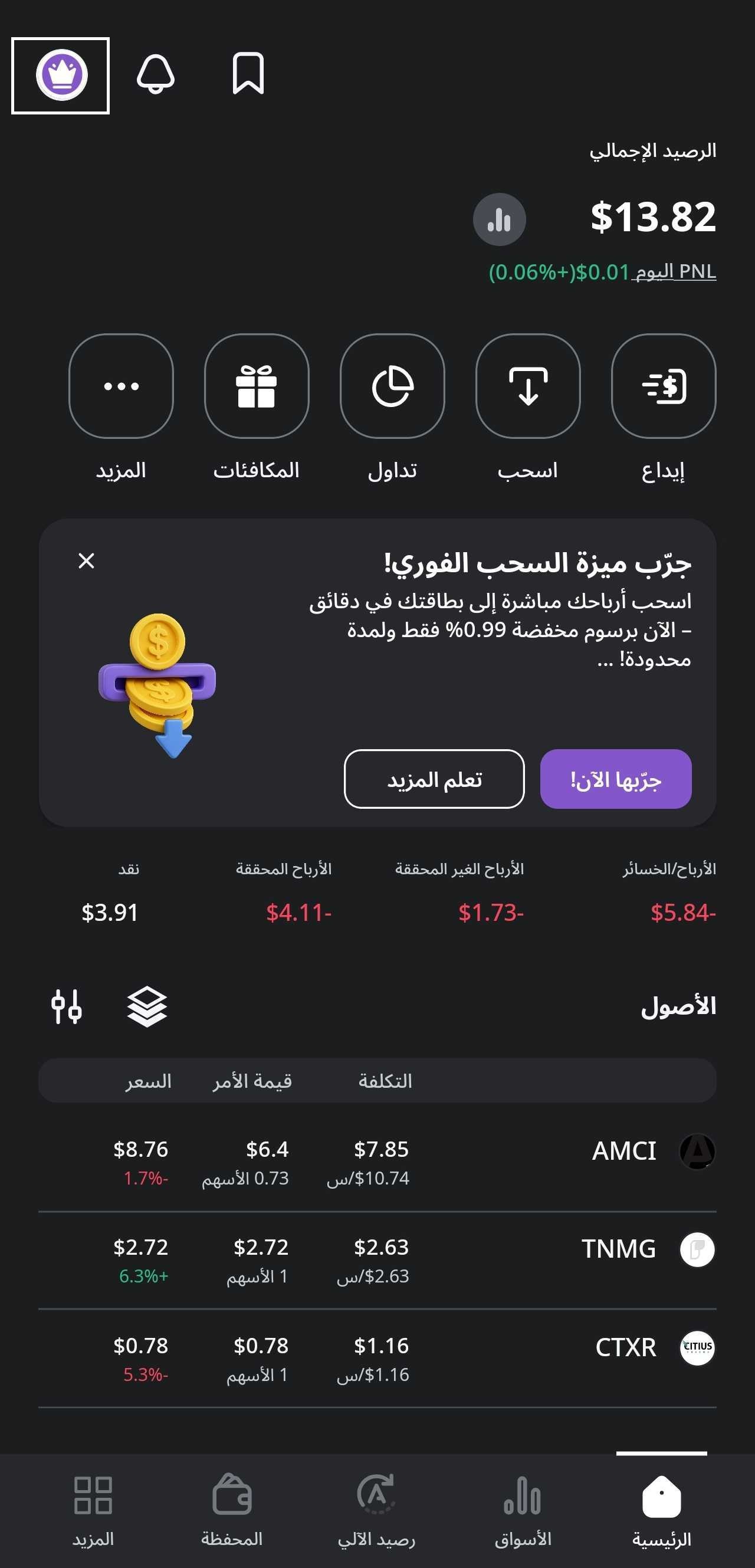
  • • Open the Raseed Invest app and log in.
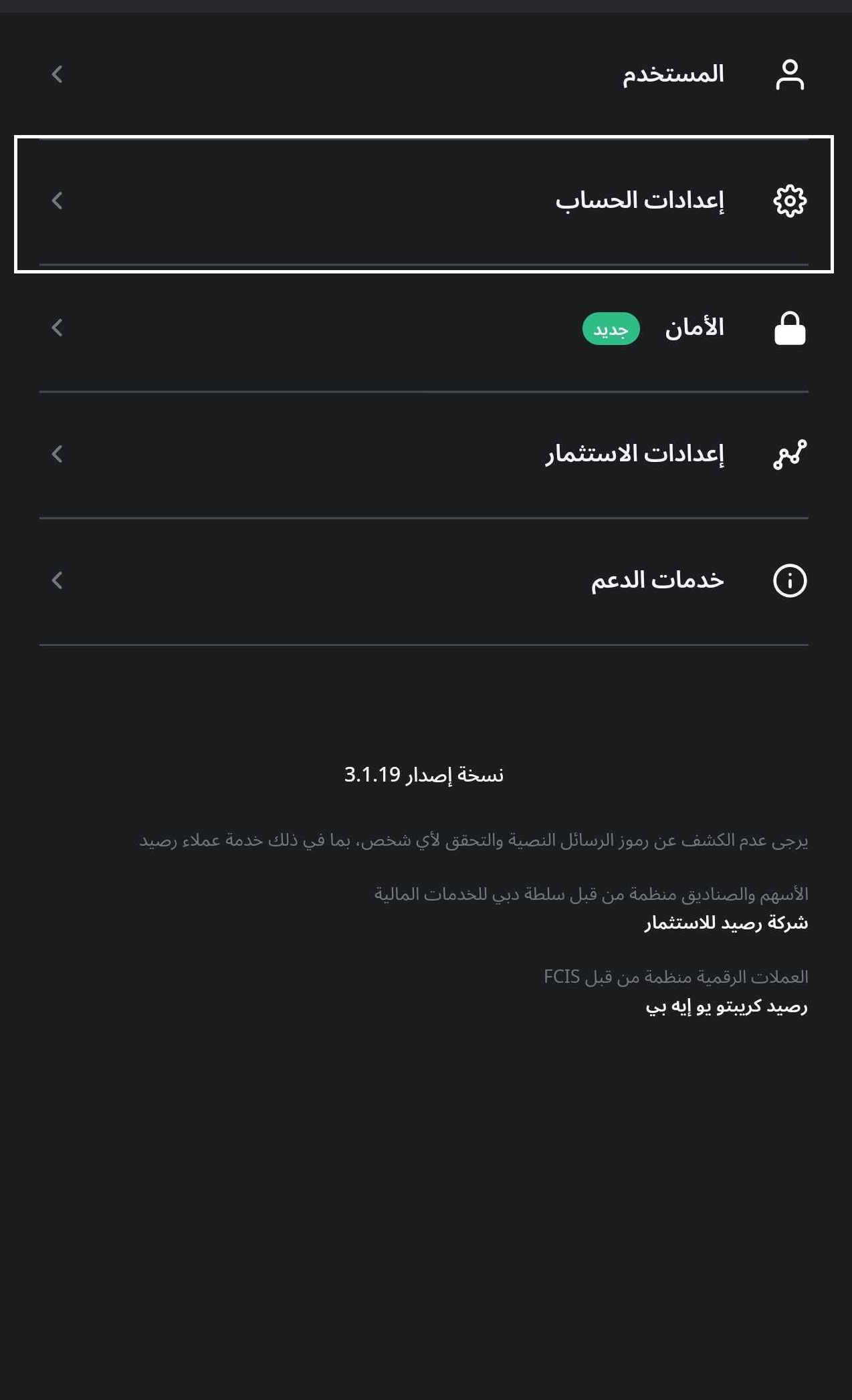
  • •Go to the 'Settings' menu within the app.
Image
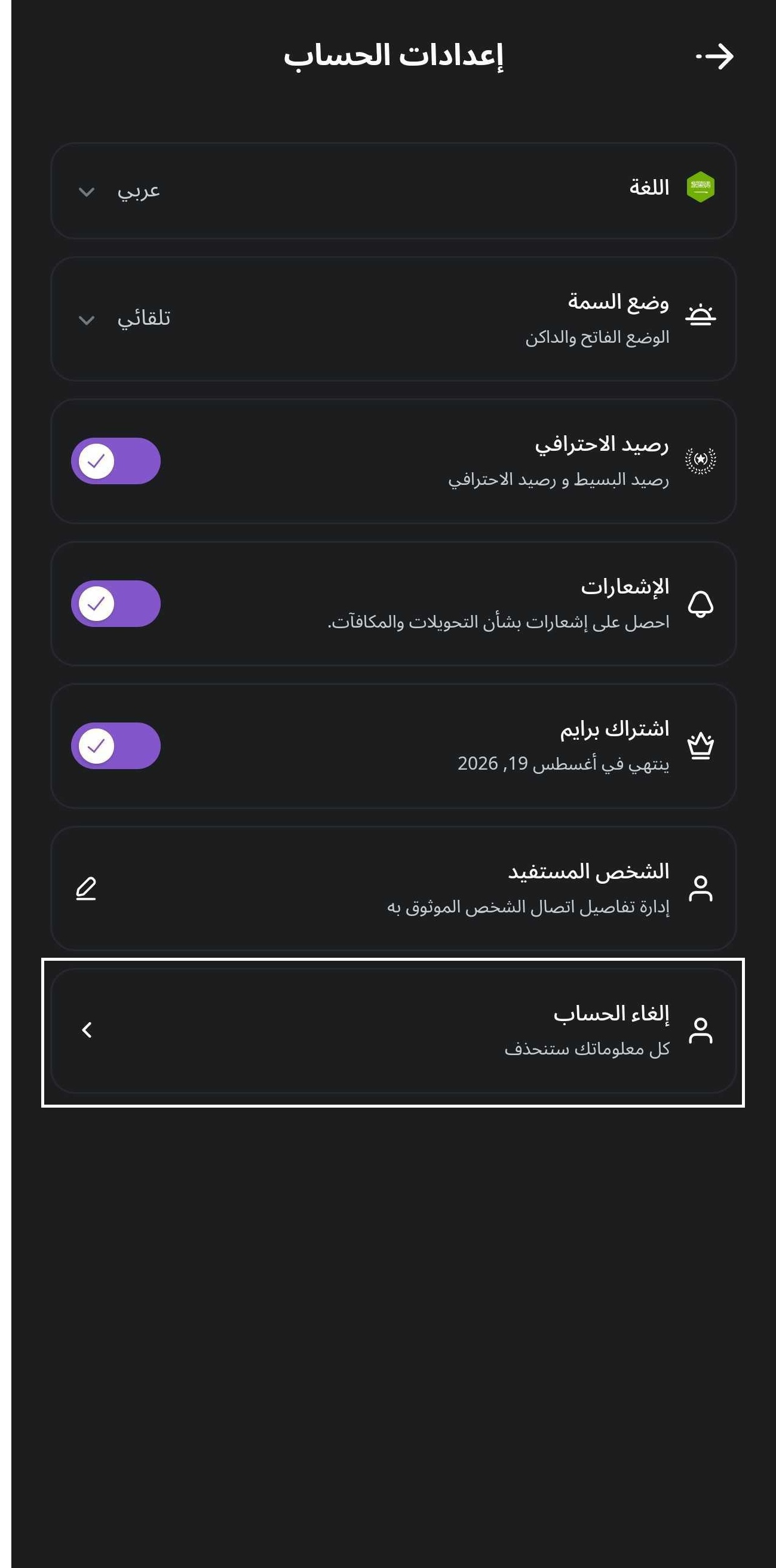
  • •Navigate to "Account Settings".
Image
  • • Select the 'Delete Account' option in settings.
Image
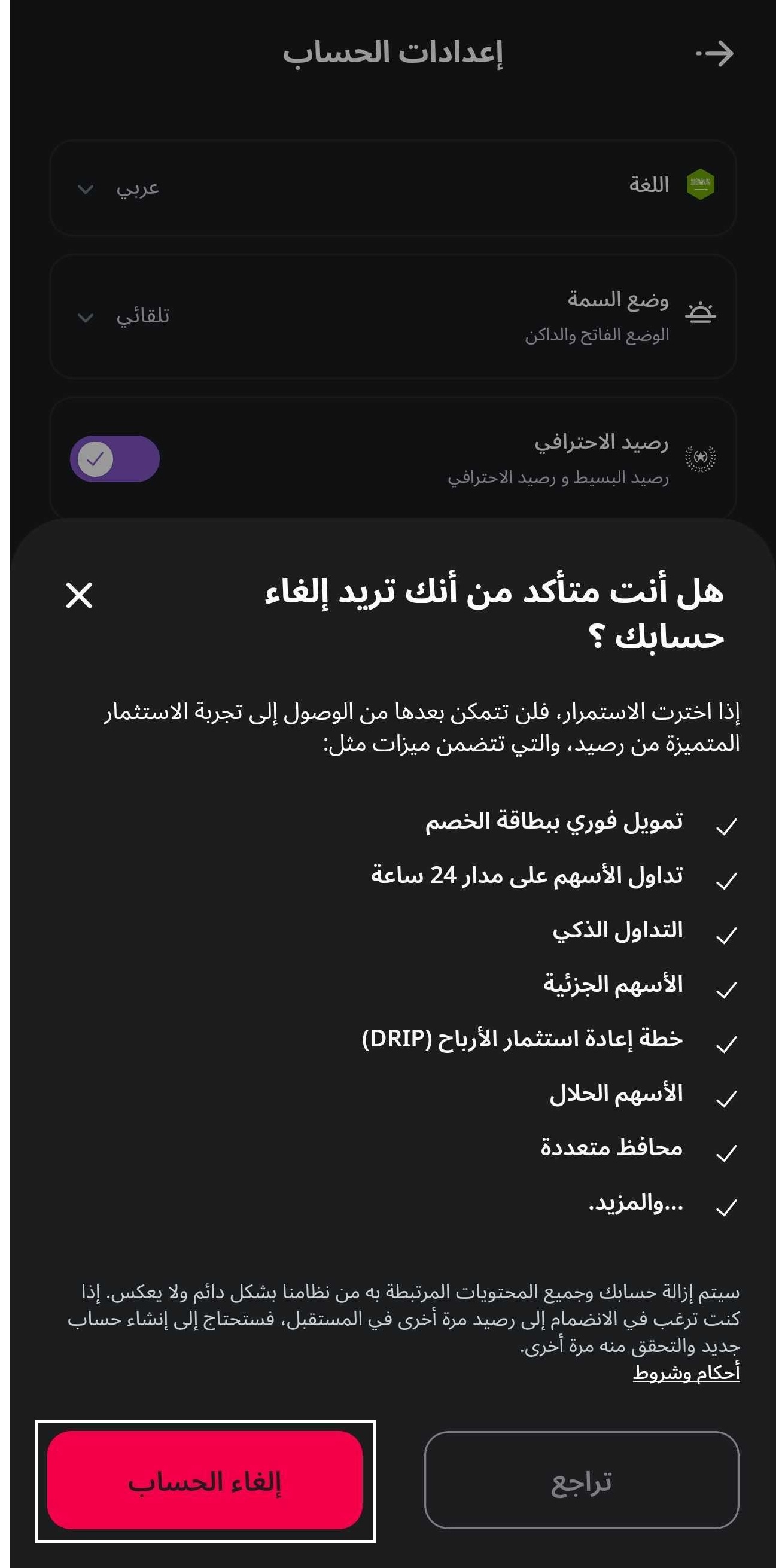
  • •Confirm Your Decision.
Image

Follow prompts to confirm the closure.

Need more help?

Products

  • Stocks & ETFs
  • Prime

Resources

  • Support
  • Blogs
  • Learn
  • Careers

Legal & Regulatory

  • Disclosures
  • Privacy Policy
  • Terms of Services
  • Fractional Shares Disclosure
  • Securities Trading License Check
  • Crypto License Check

© Copyright 2026 Raseed Invest, Inc. All Rights Reserved.

Raseed Invest Limited ("Raseed") registered in the Dubai International Financial Centre ("DIFC") and is regulated by the Dubai Financial Services Authority ("DFSA") to conduct financial services "Arranging Deals in Investments" with a 'Retail' endorsement. Raseed does not provide any trading or investment advice and shall not be responsible for any loss arising from any investment based on any general information provided by Raseed or as may be available on Raseed's website and other web-based services (collectively, the "Website Services"). Raseed does not warrant that the information is accurate, reliable or complete or that the supply will be without interruptions. Technology and services are offered by Raseed Invest Inc.