
Two-Factor Authentication (App Authenticator) guide
How to Activate Two-Factor Authentication (2FA) – Step by Step
- •Log in to your profile in the Raseed app.
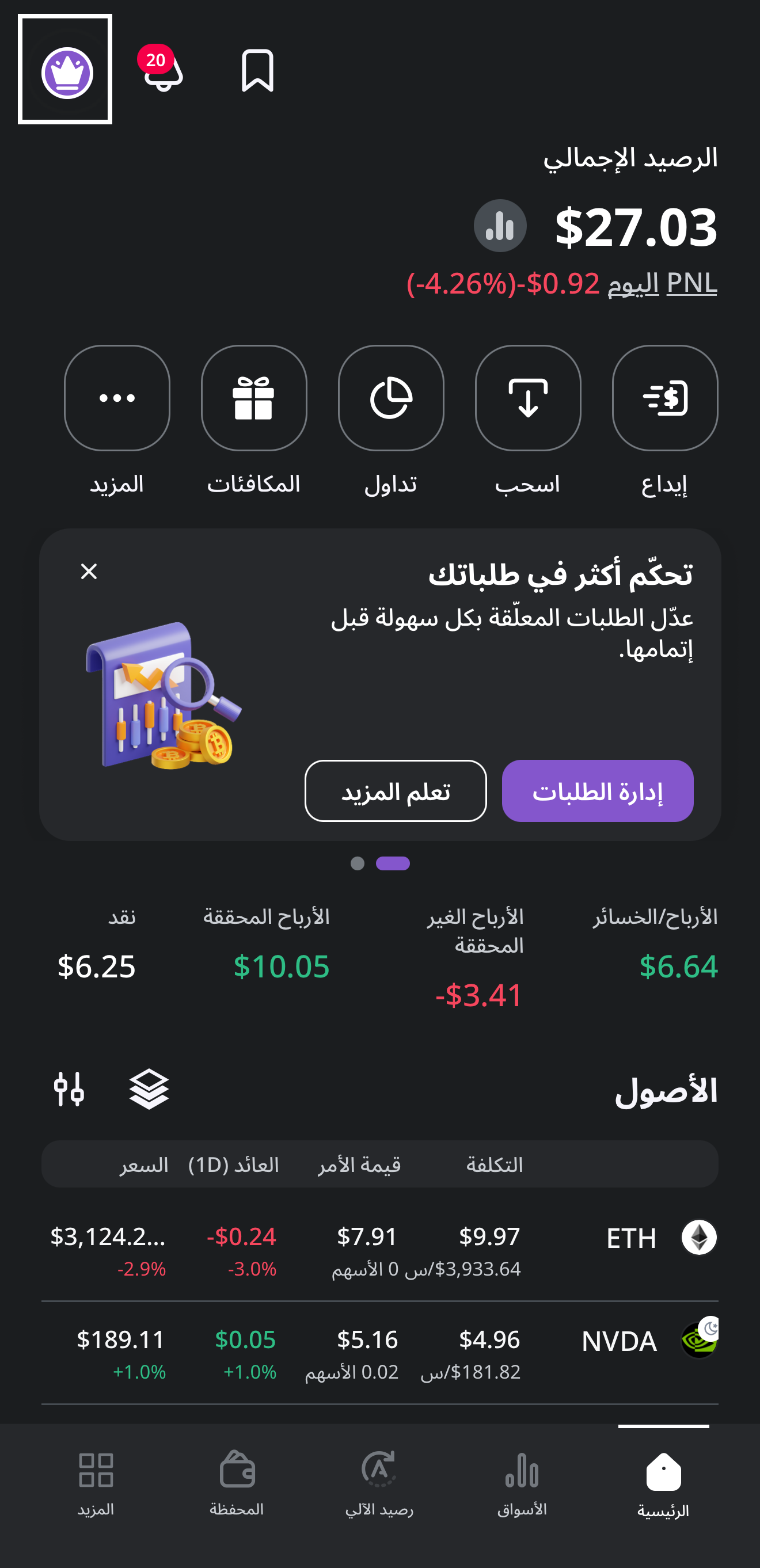
- •Tap on Security.
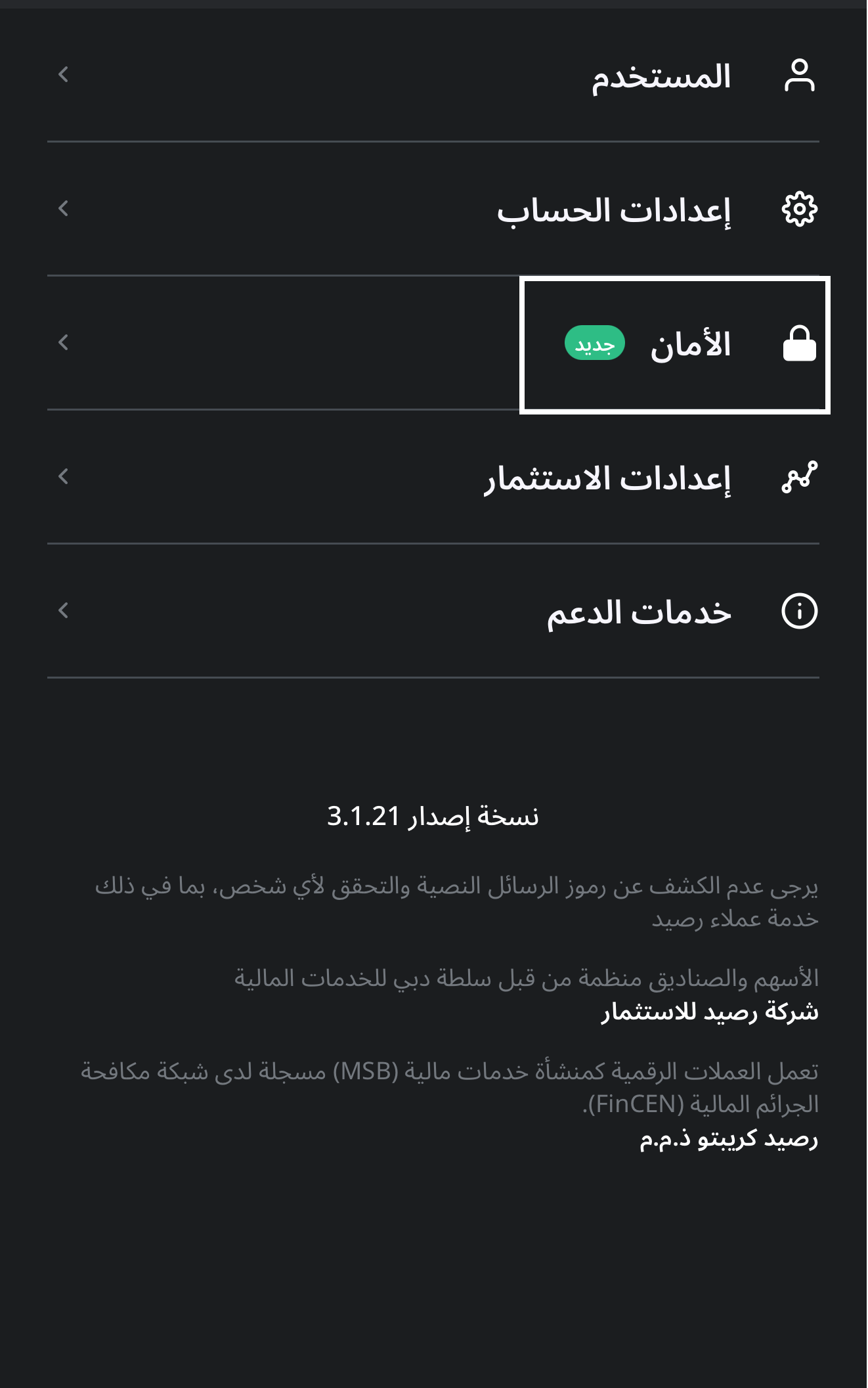
- •Select Activate Two-Factor Authentication.
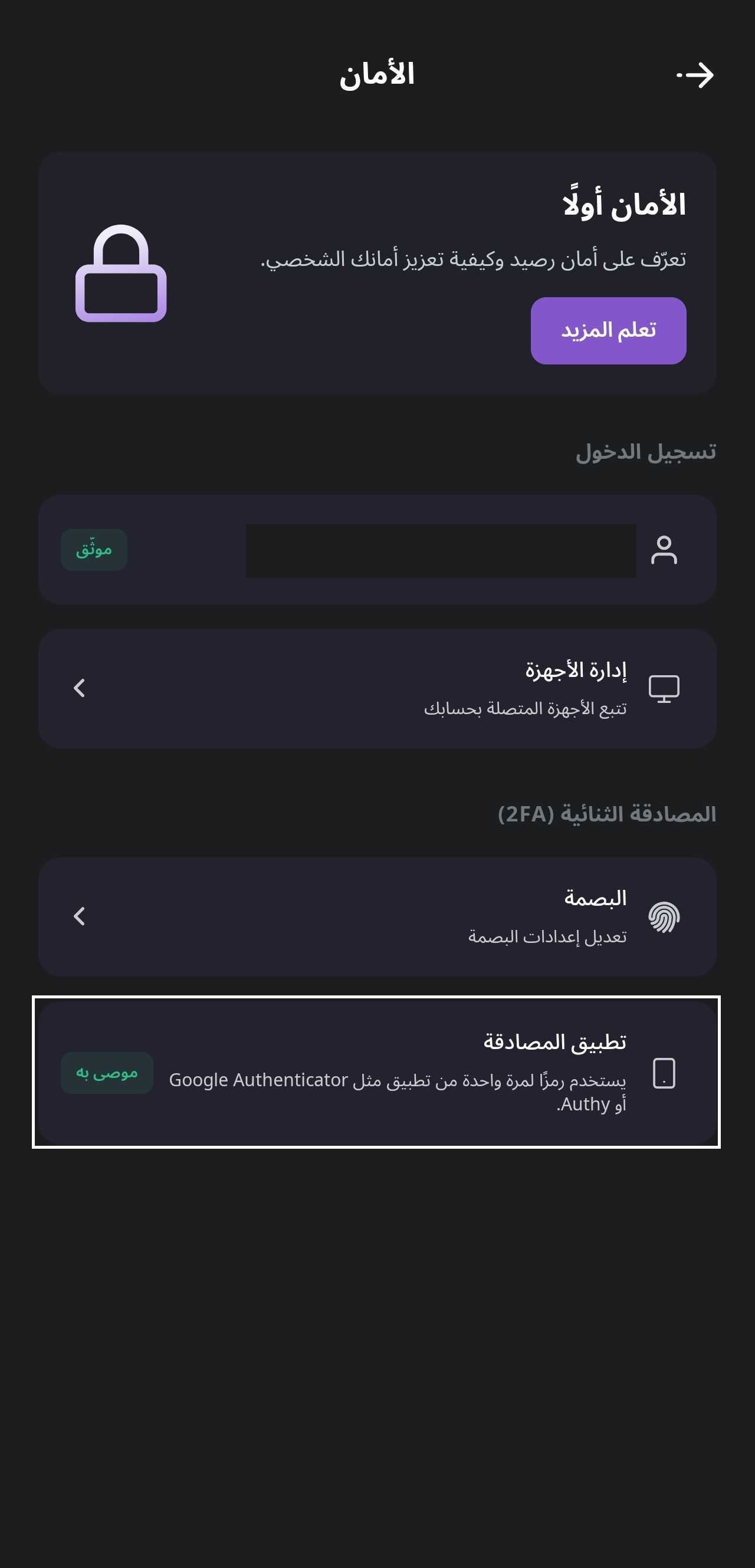
- •A verification code will be sent to your phone; enter the code to complete verification.
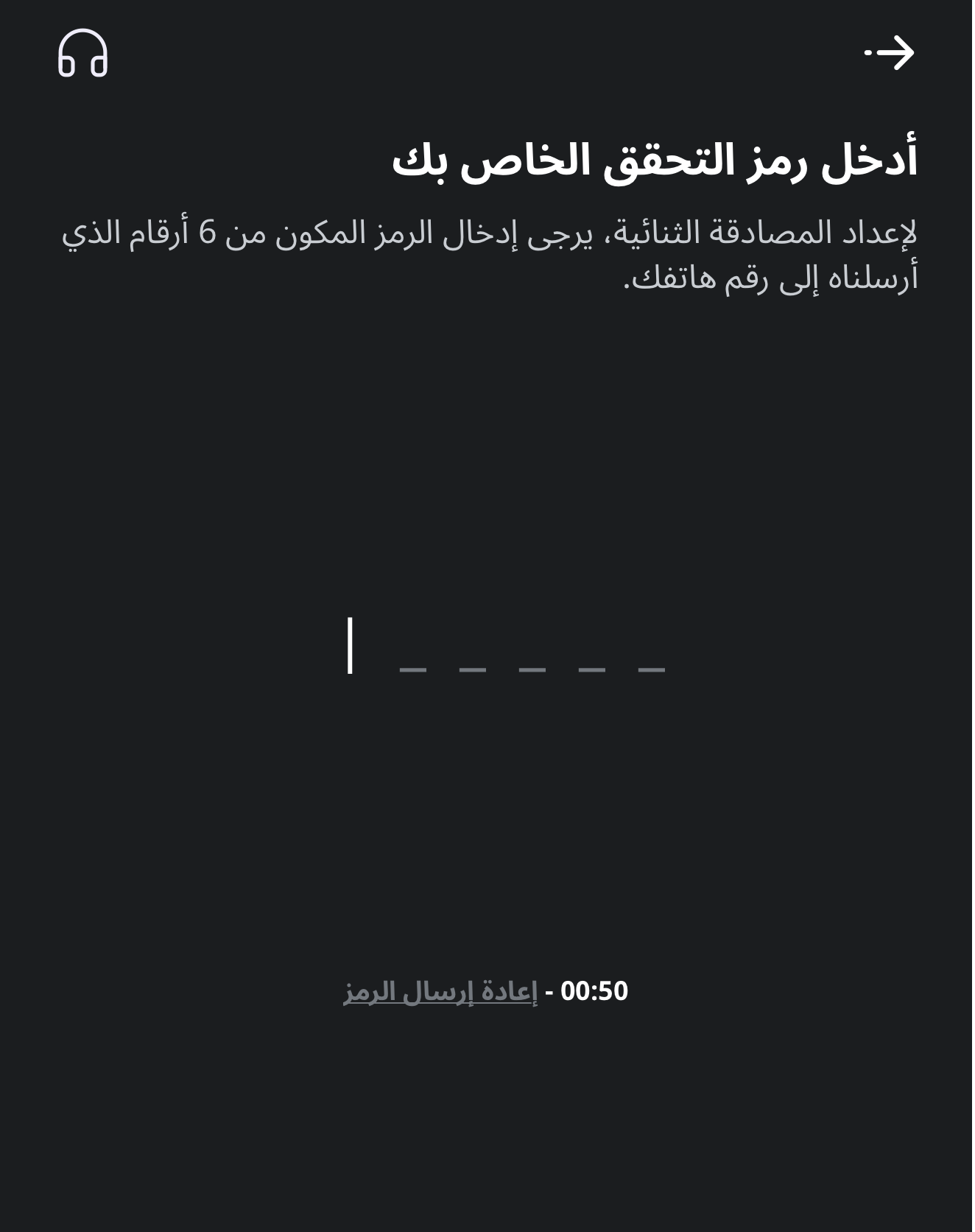
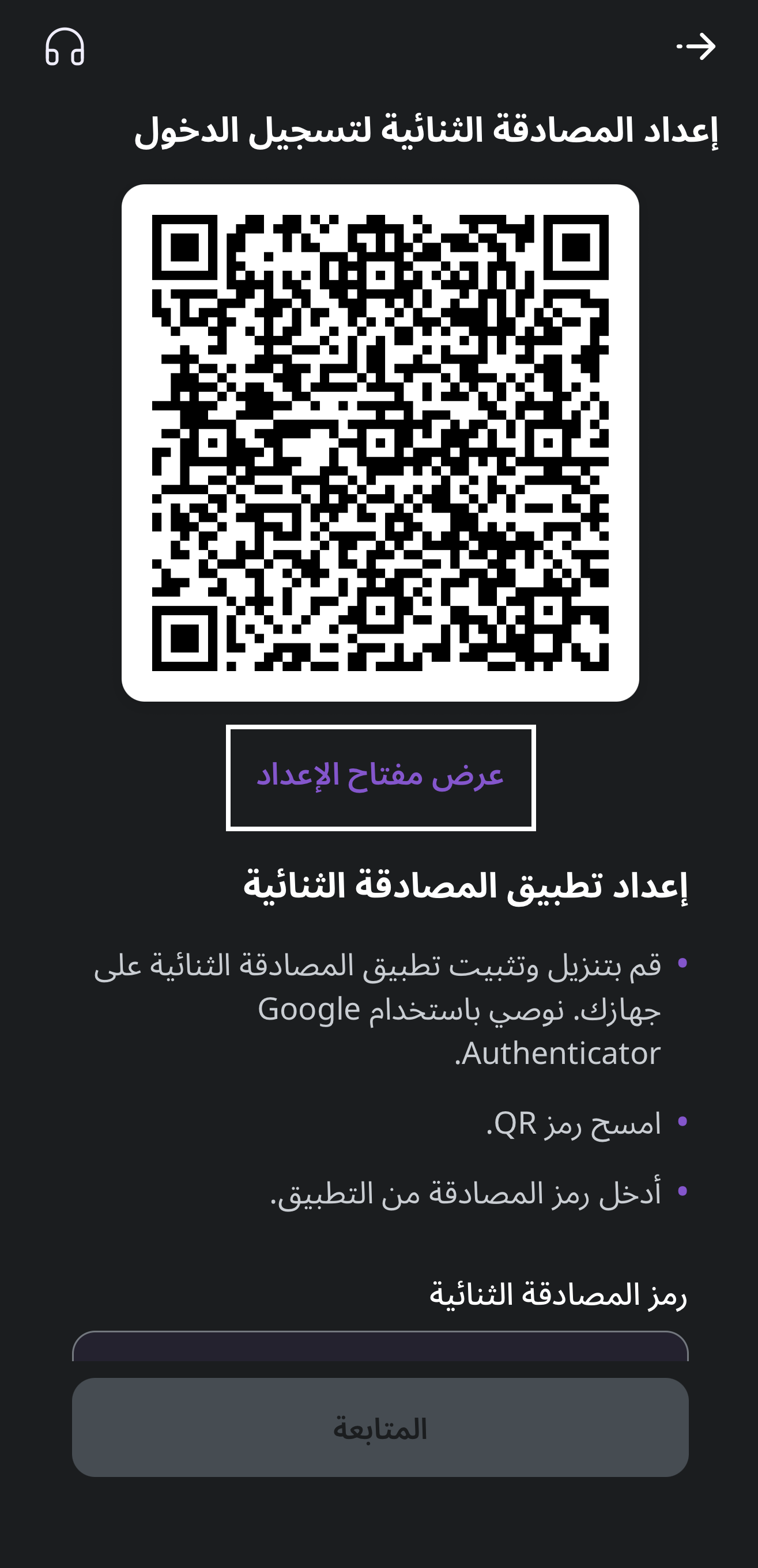
- •tap View Setup Key.
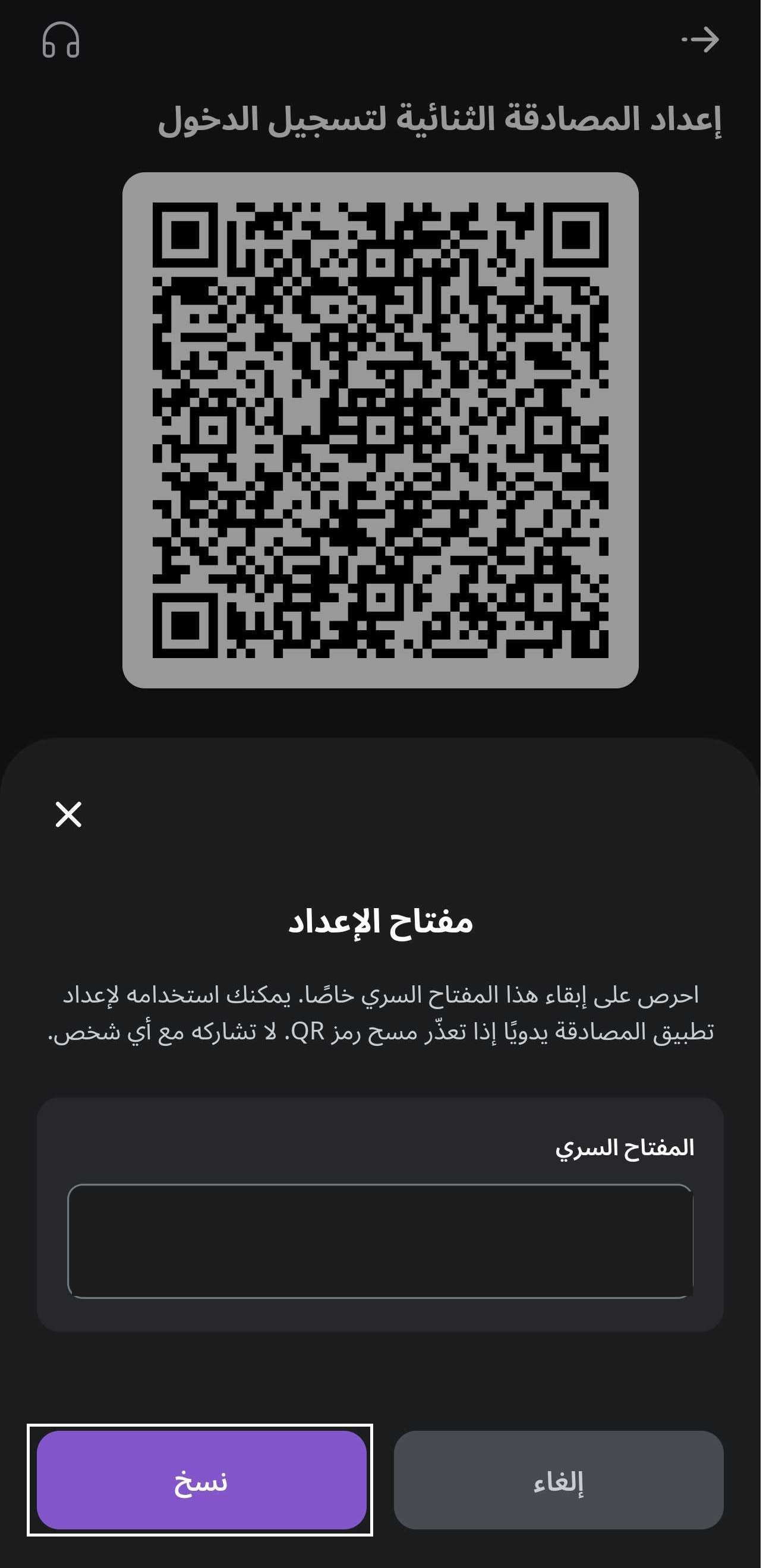
- •Tap Copy to copy the secret key.
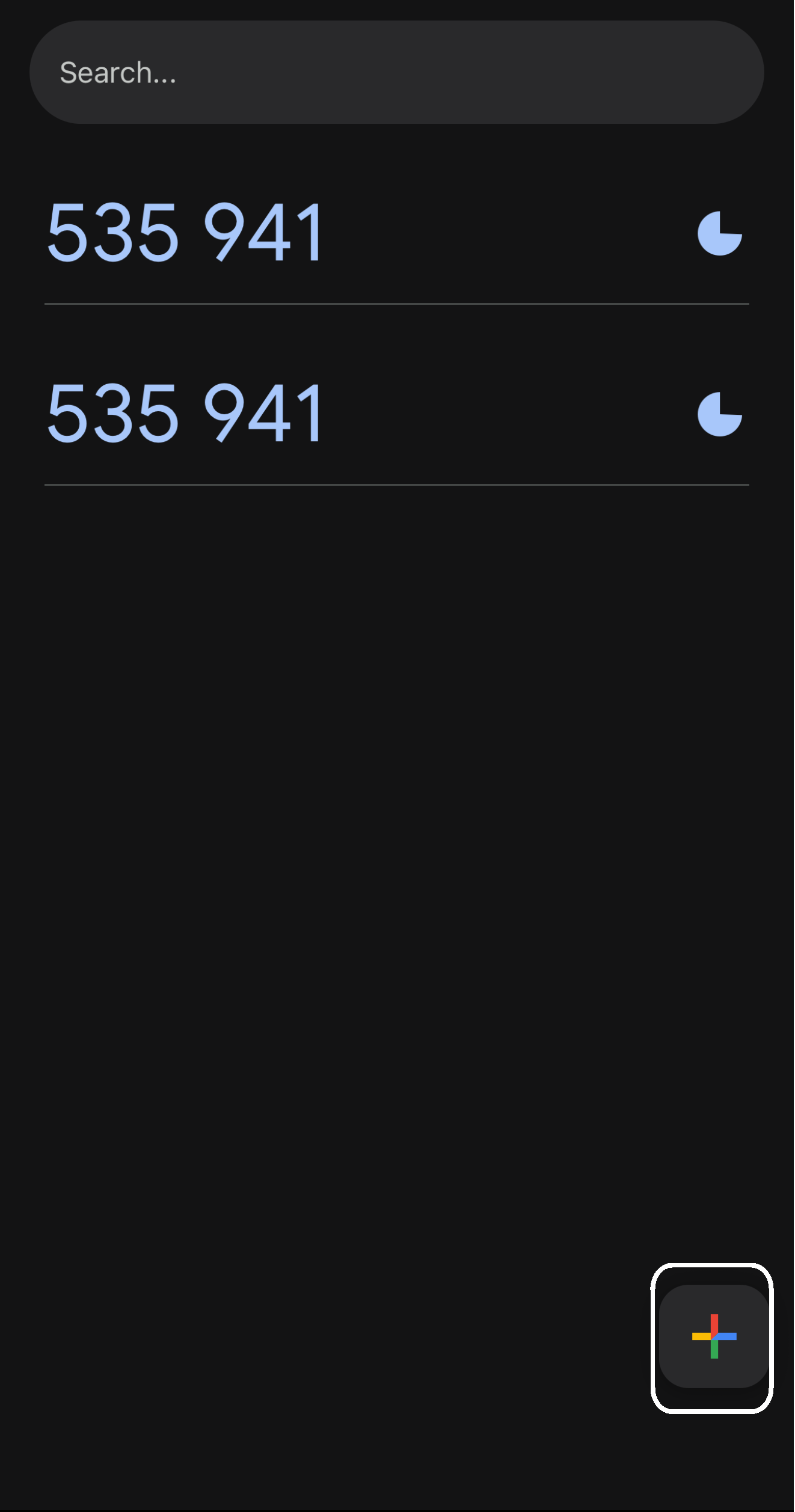
- •Download your authenticator app from your phone’s app store. Then open the authenticator app and tap the + sign to add a new account.
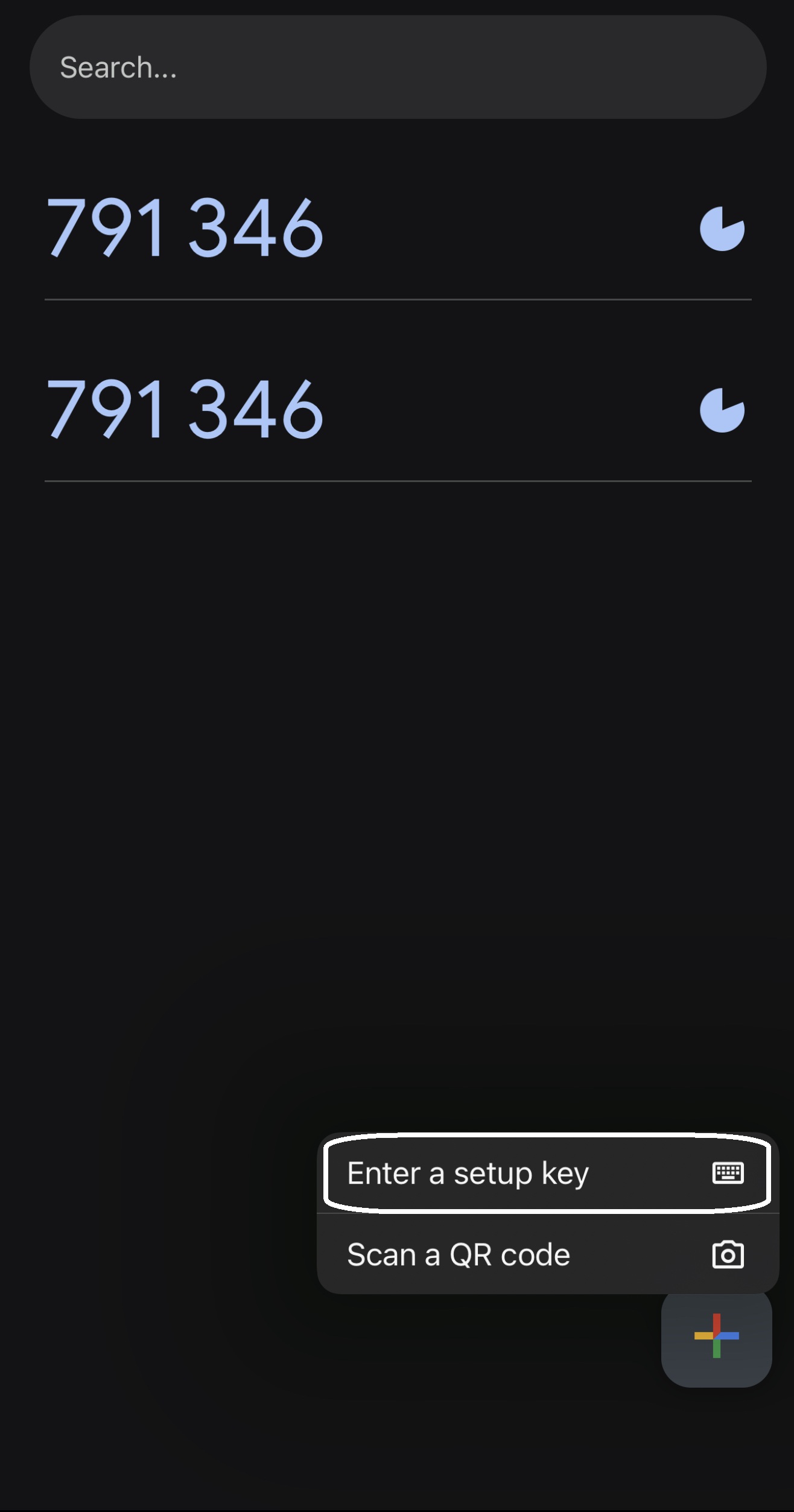
- •Choose Enter Key Manually.
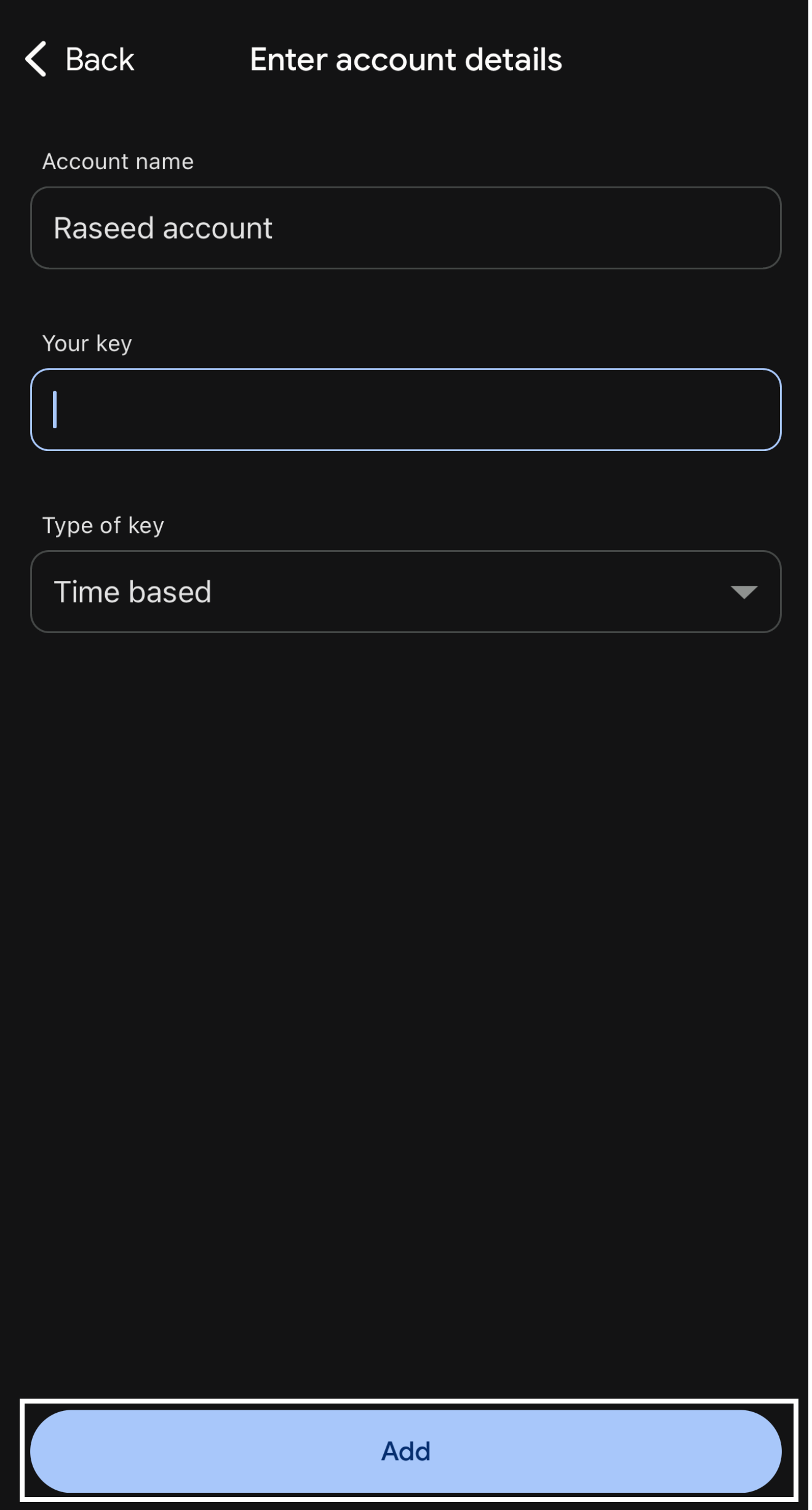
- •Enter the account name (e.g., Raseed App).
- •Paste the secret key you copied from the Raseed app.
- •Select the key type as Time-based, then tap Add.
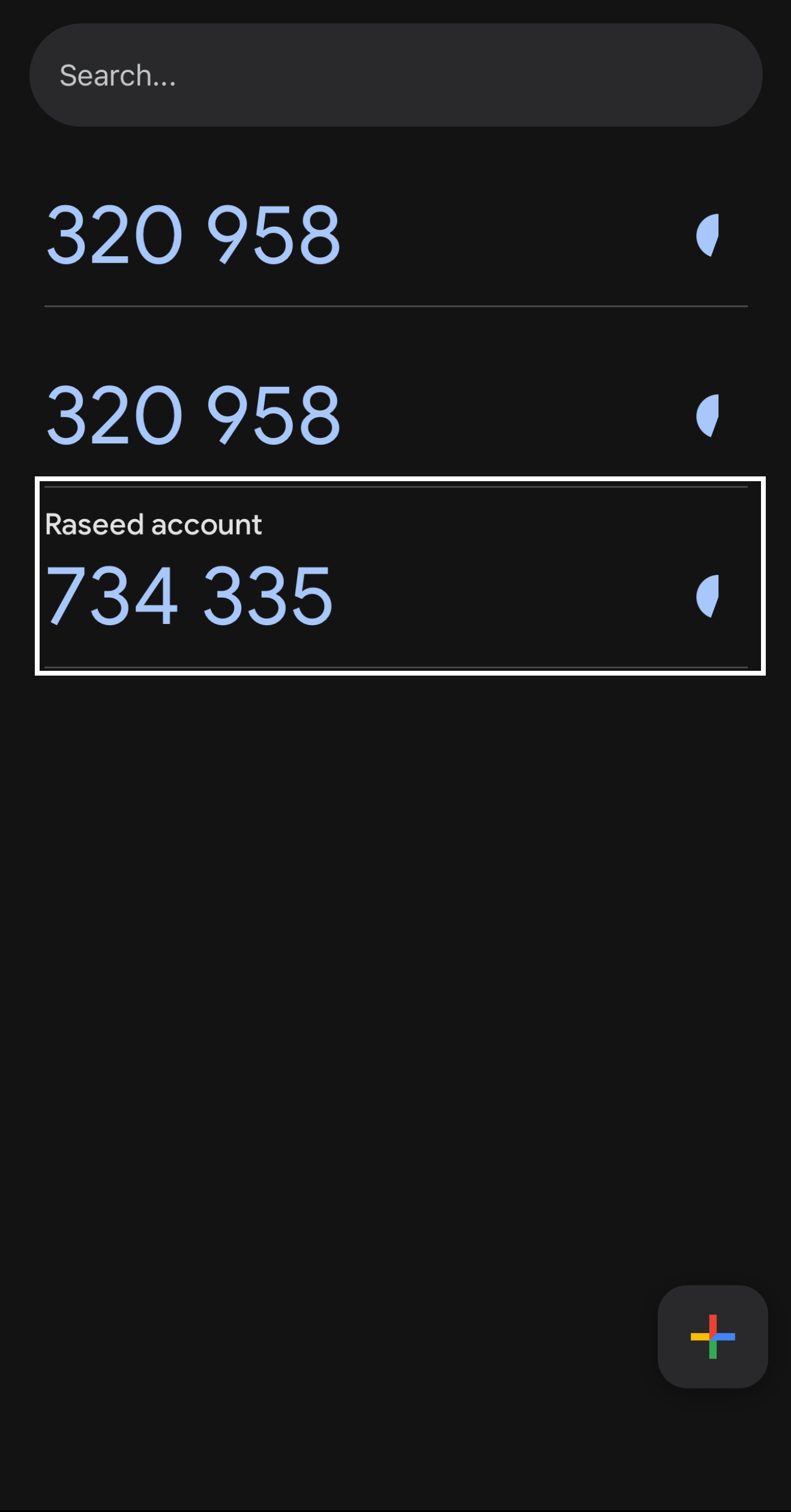
- •A code consisting of numbers that refreshes approximately every 30 seconds will appear; tap it to copy.
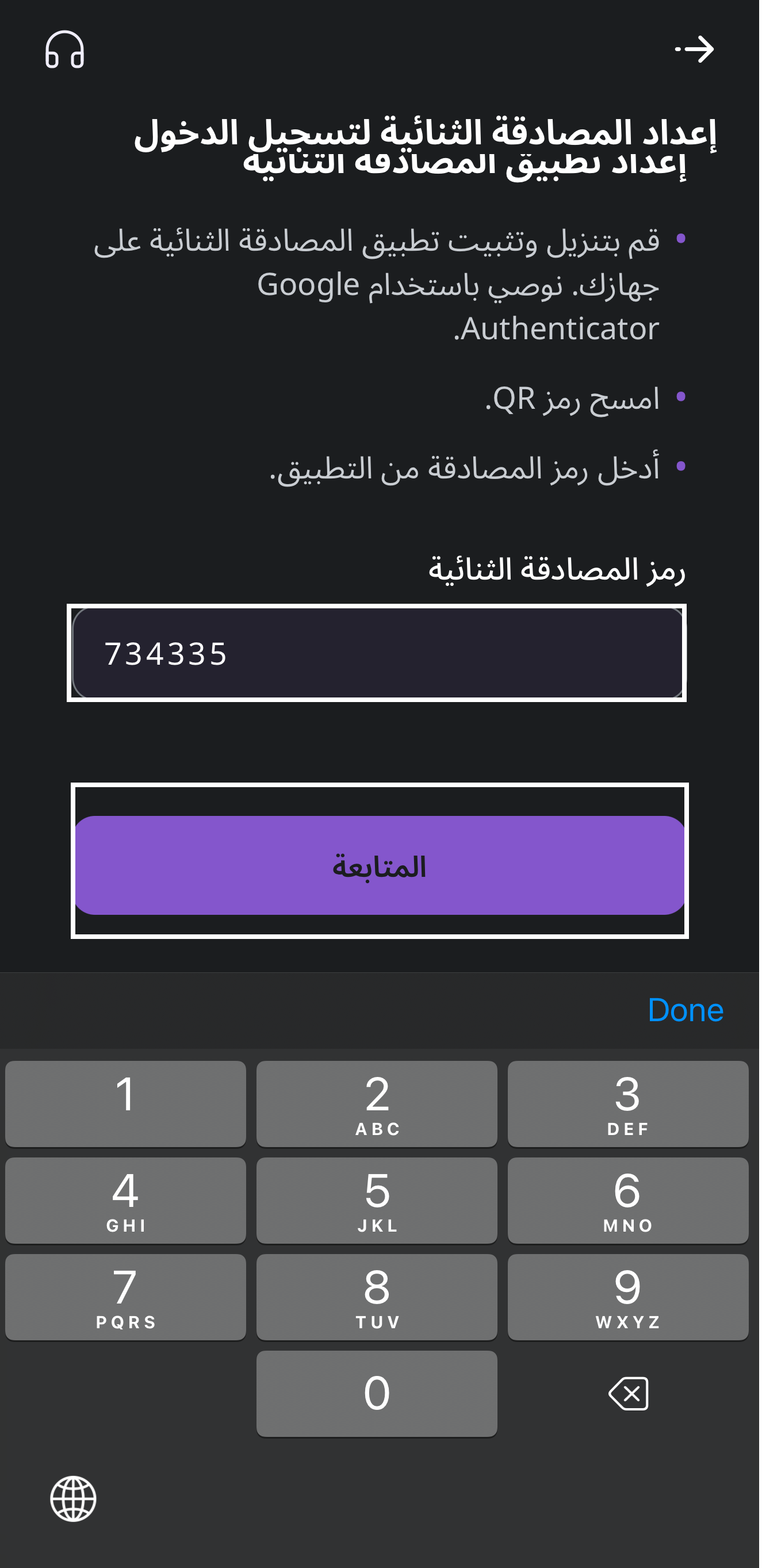
- •Go back to the Raseed app, paste the code in the Two-Factor Authentication Code field, then tap Continue.
You have now successfully activated Two-Factor Authentication.The next time you log in, you will be asked to open the authenticator app, copy the current code, and paste it to complete login.