
How to Sign Up Using Email in the Raseed Invest App
The Raseed Invest app now allows you to create an account using your email address directly from within the app. The email sign-up process is simple and designed to help you get started quickly and smoothly.
Steps to Sign Up Using Email
- •Open the Raseed Invest app. then tap on Start here

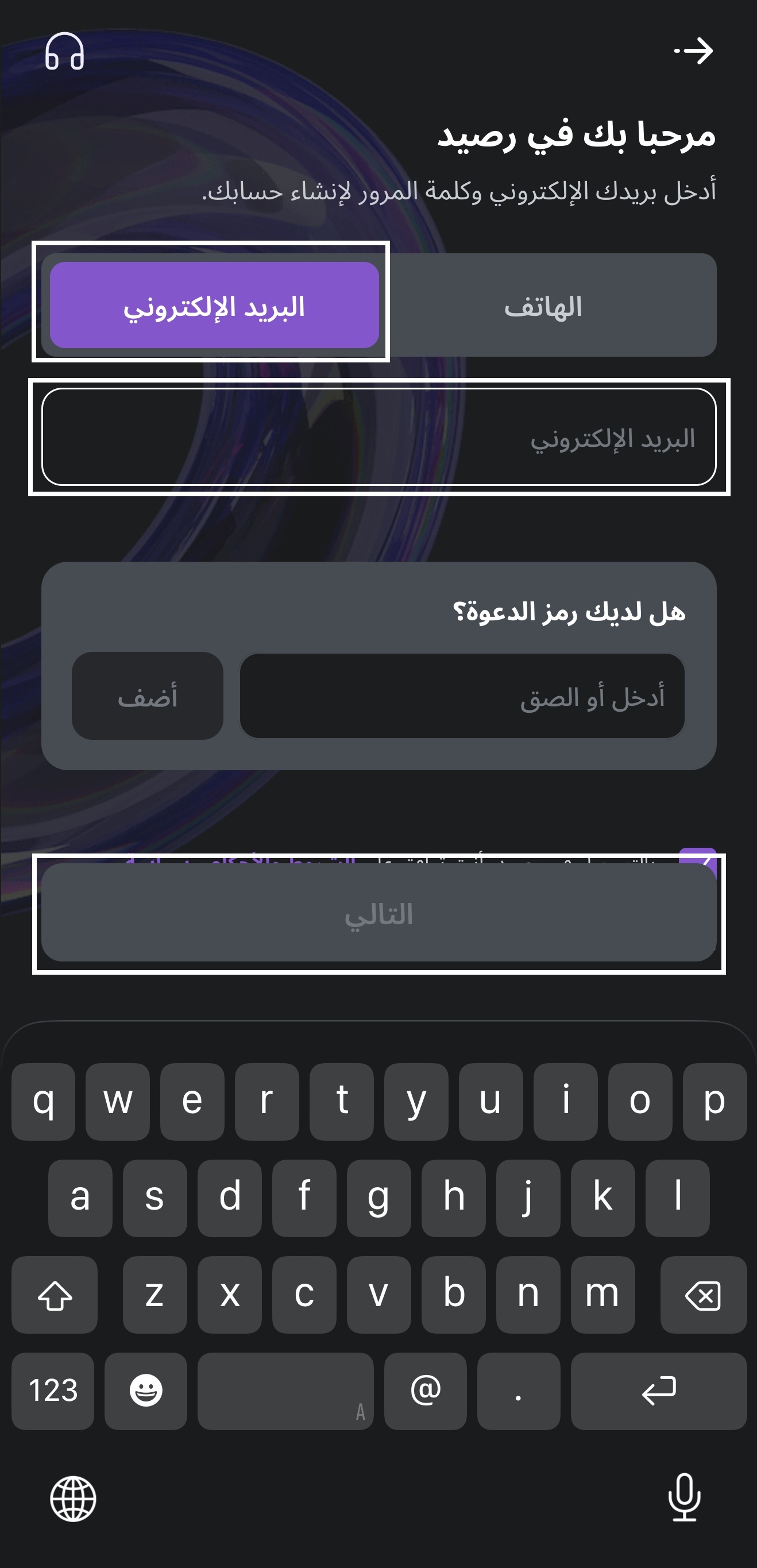
- •Select Email as the sign-up method.
- •Enter your email address, then press the Next button.
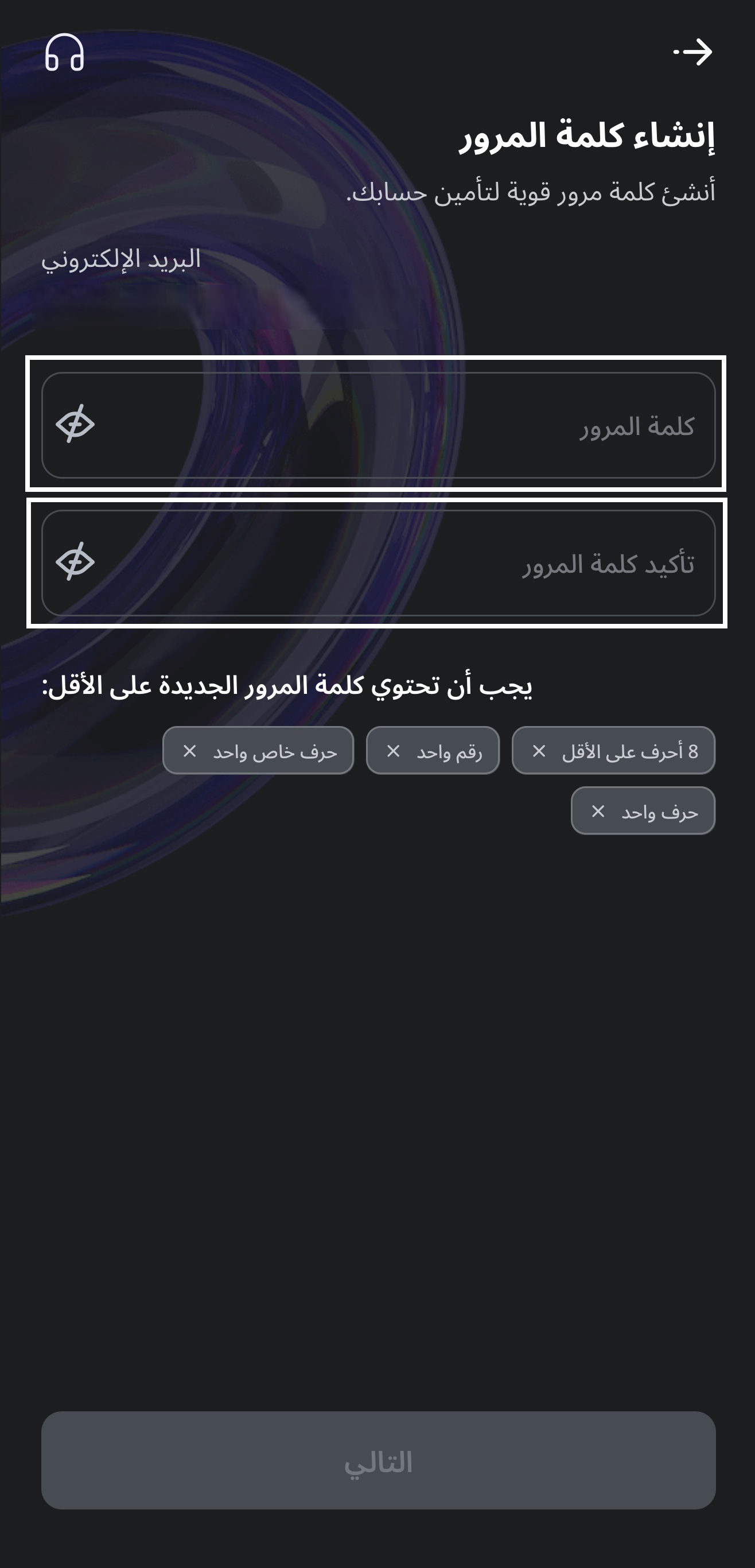
- •Create your password in the Password field.
- •Re-enter the password in the Confirm Password field.
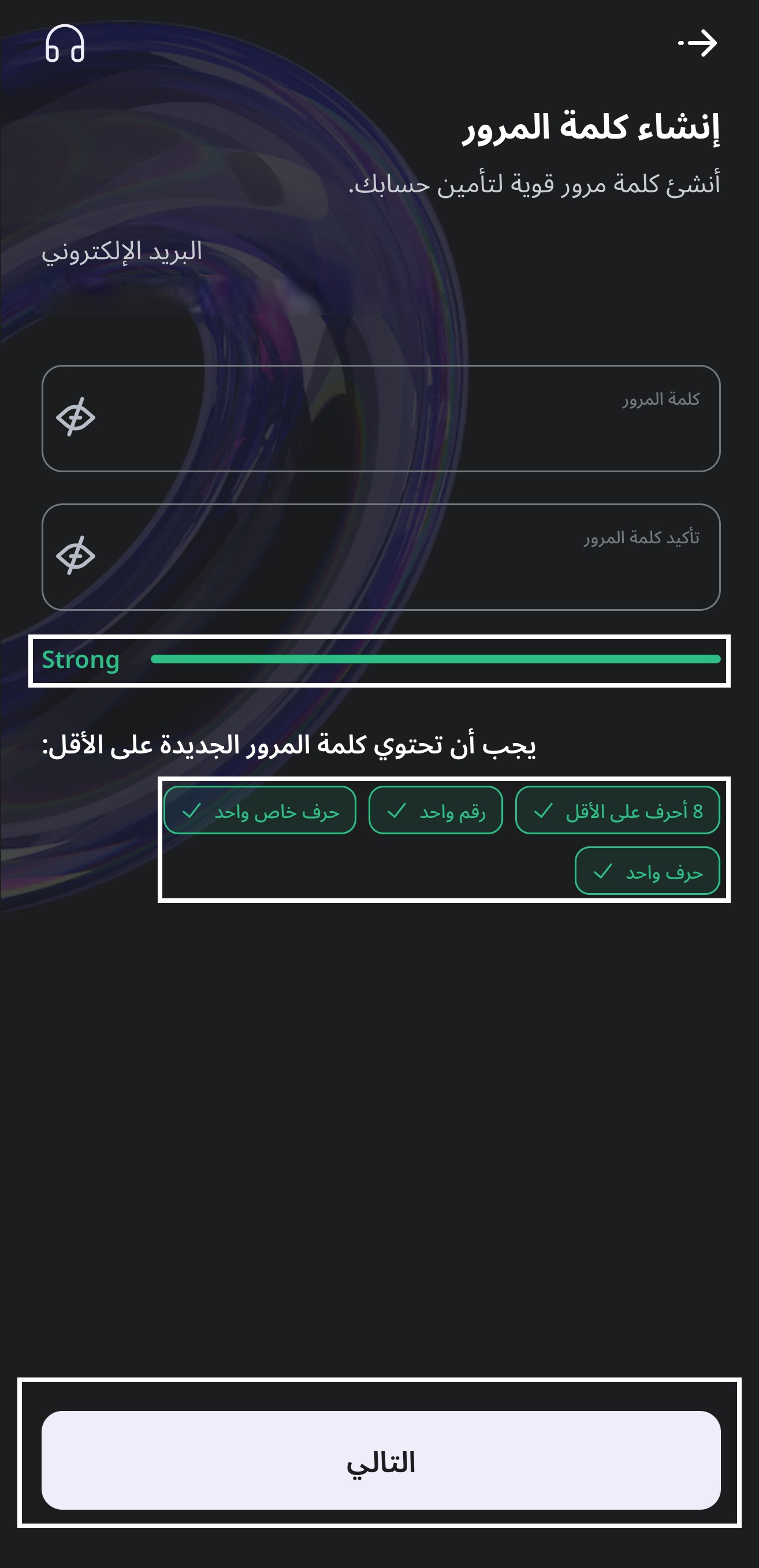
- •Once the password meets the required strength conditions, tap Next.
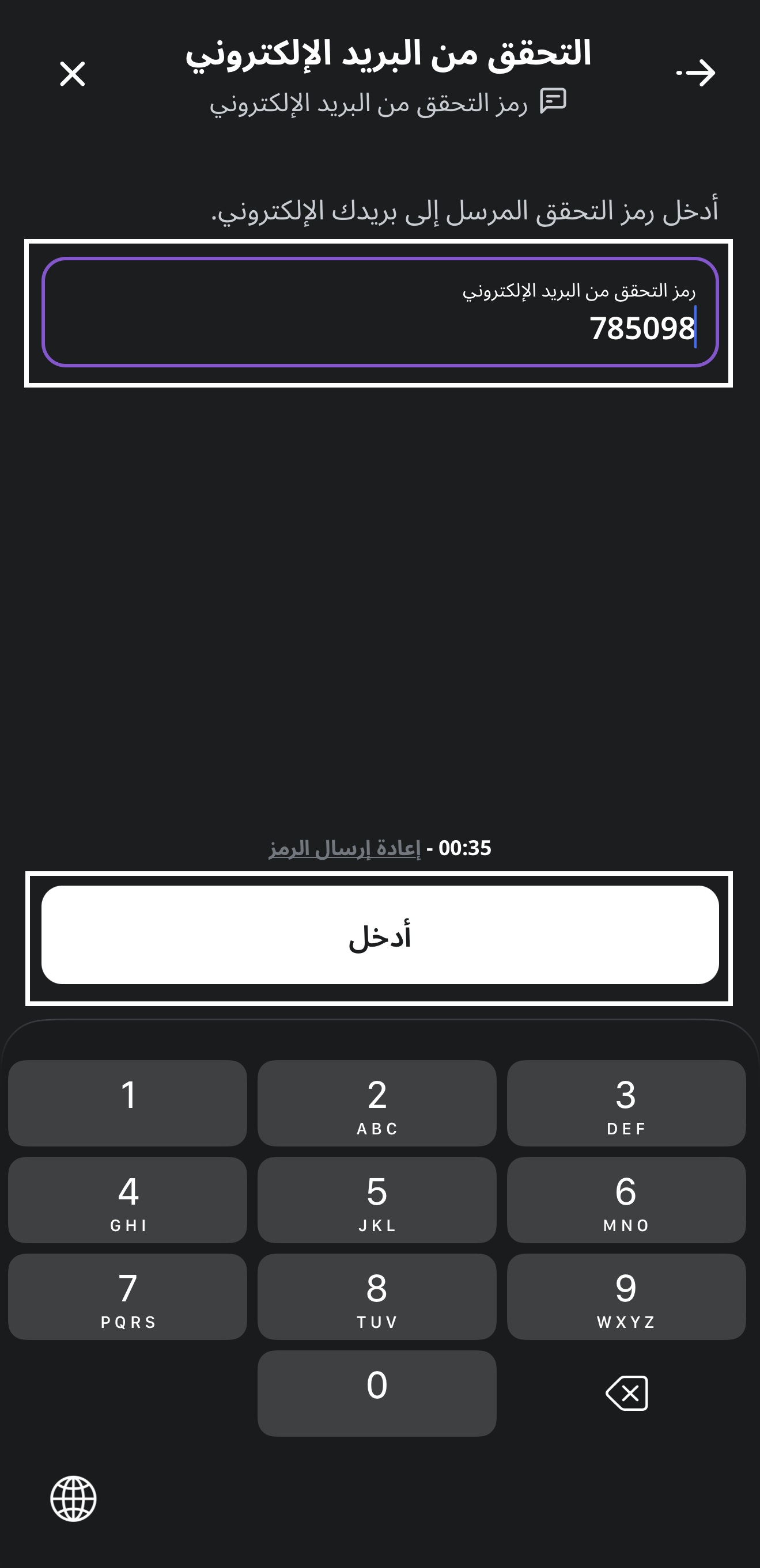
- •Enter the verification code sent to your email, then press the Enter button.
After completing these steps, your account will be successfully created.
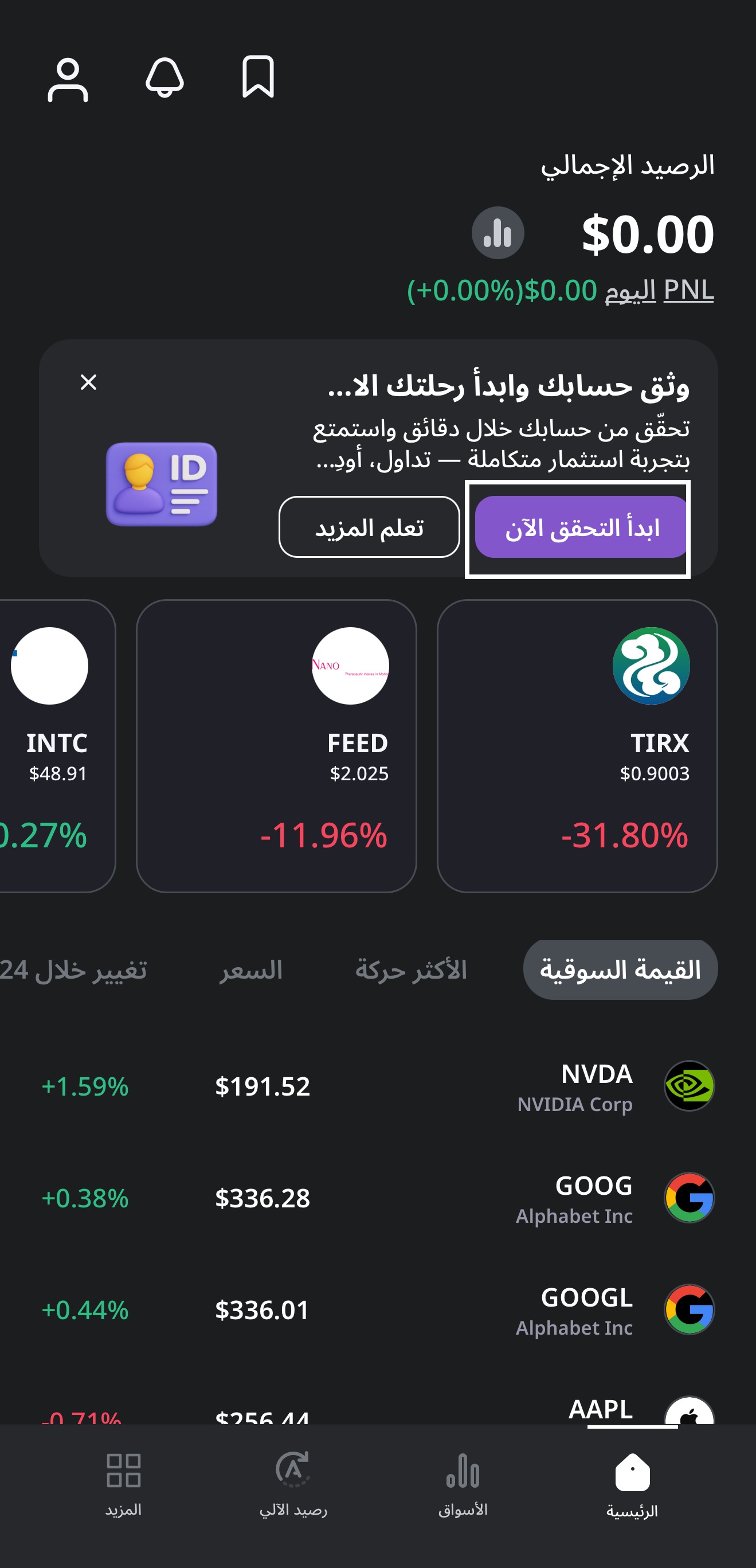
After creating the account, you can start verifying your account at any time by clicking Get verified on the app’s home page. Once the account is verified, you will be able to deposit and trade normally.
What’s Next
Signing up with your email in the Raseed Invest app is quick and straightforward, allowing you to create your account in a few easy steps and begin verification whenever you’re ready.